iOS App · In Progress
SolSede: Find Your Seat in the Sun
A side project with a friend: an iOS app that finds the cafés, bars and benches around you that still have sun on them. Built partly to solve a real Berlin problem, mostly to learn what it actually takes to ship something to the App Store.
- Role
- Design & Frontend
- Duration
- ongoing since 2026
- Tags
- iOSSide ProjectBrandingMaps
1. Why
It started with the least strategic reason imaginable: a friend and I wanted an app in the App Store. Not a business, not a pitch deck — just the whole thing once, end to end, with our names on it. Idea, design, code, review, release.
The idea itself came out of a Berlin habit. You walk to a café, and the terrace is in shade because the building across the street got there first. So the actual question we kept asking each other — where is there still sun right now? — became the product.
We split it down the middle: I took the frontend, he took the backend. What we didn't plan for was how much of the project would be about working with AI — and about learning to do that together rather than each in our own chat window. Where to hand a task over, where to insist on writing it ourselves, how to review something neither of us typed. That, plus the evenings spent sitting next to each other on it, turned out to be as much the point as the app.
2. The Name and the Mark
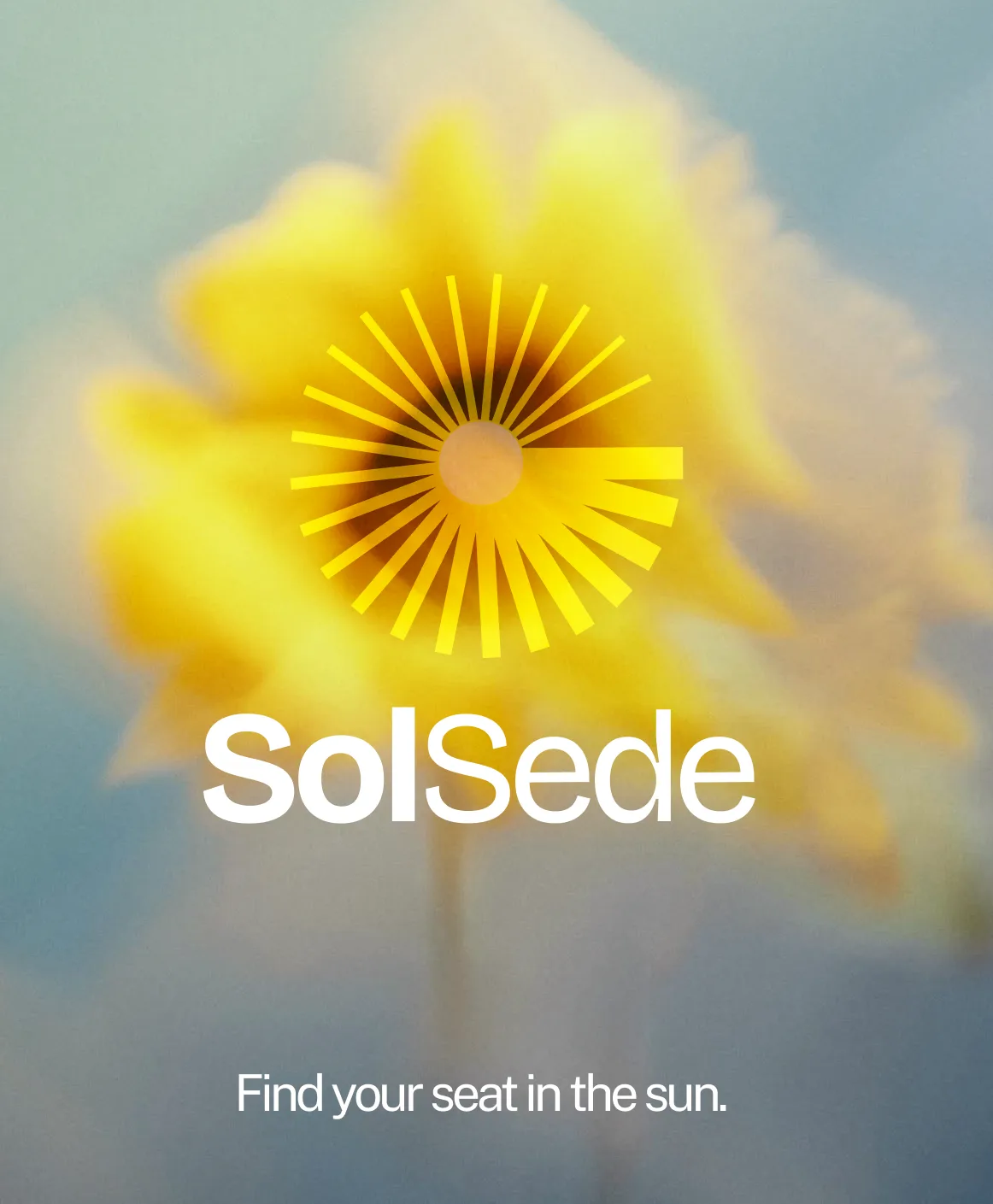
SolSede — Latin for sun and seat. Google Translate insists it means "sun-bathed" in Danish — we've never been able to verify that, but it sounds good enough to keep. In Portuguese it becomes "sun thirst." That's the moment the name stuck for good. The mark is a radiant sun with 24 rays. It works as a full lockup, as an app icon, and as a single pin on a map.


3. The Map
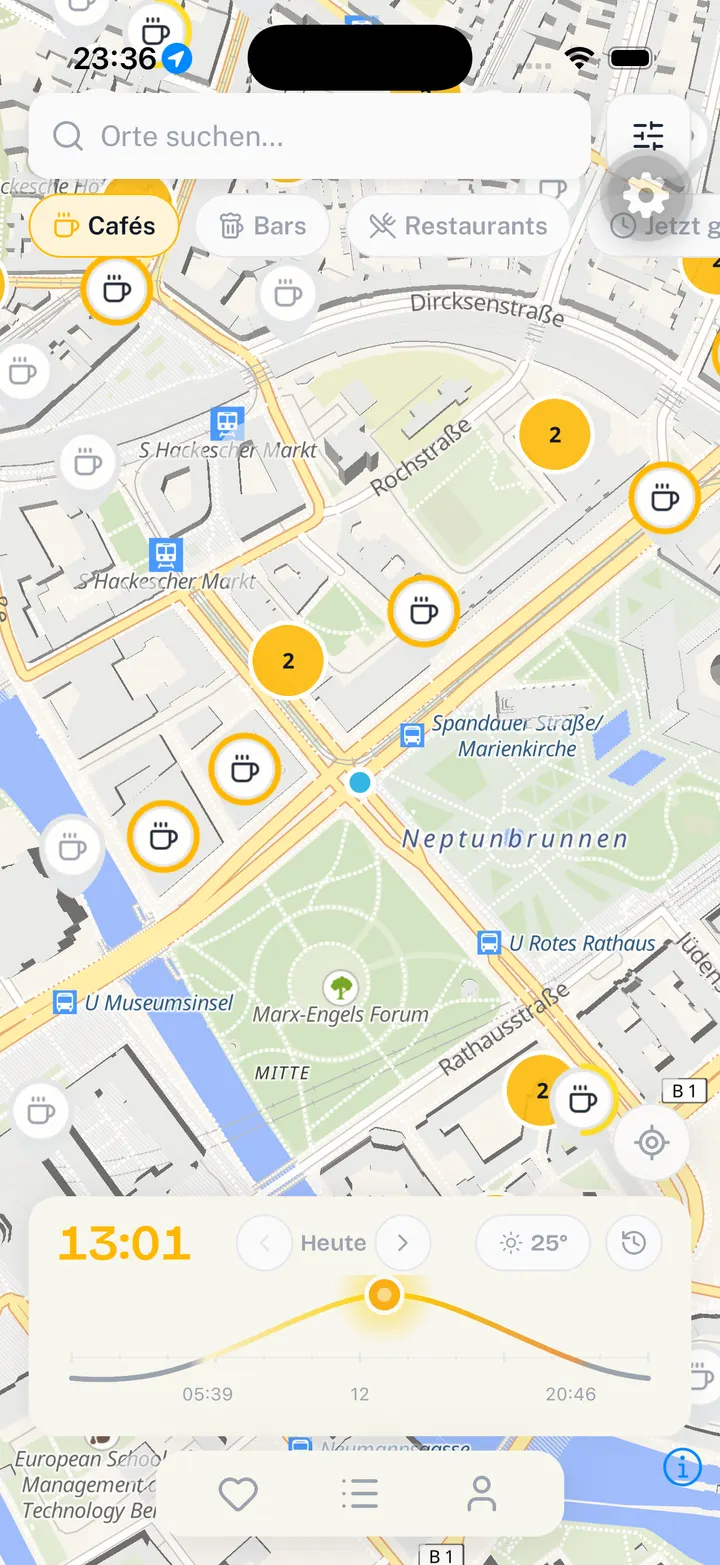
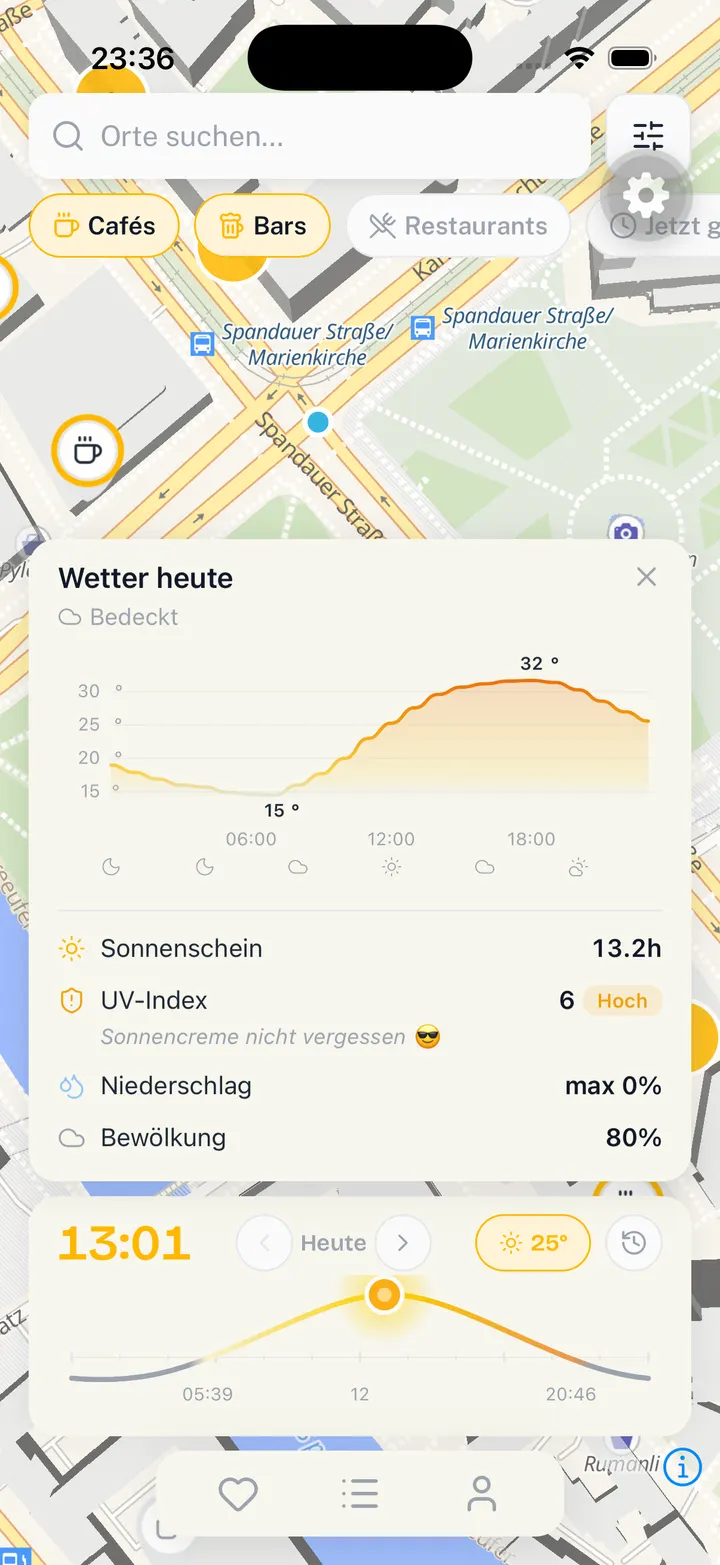
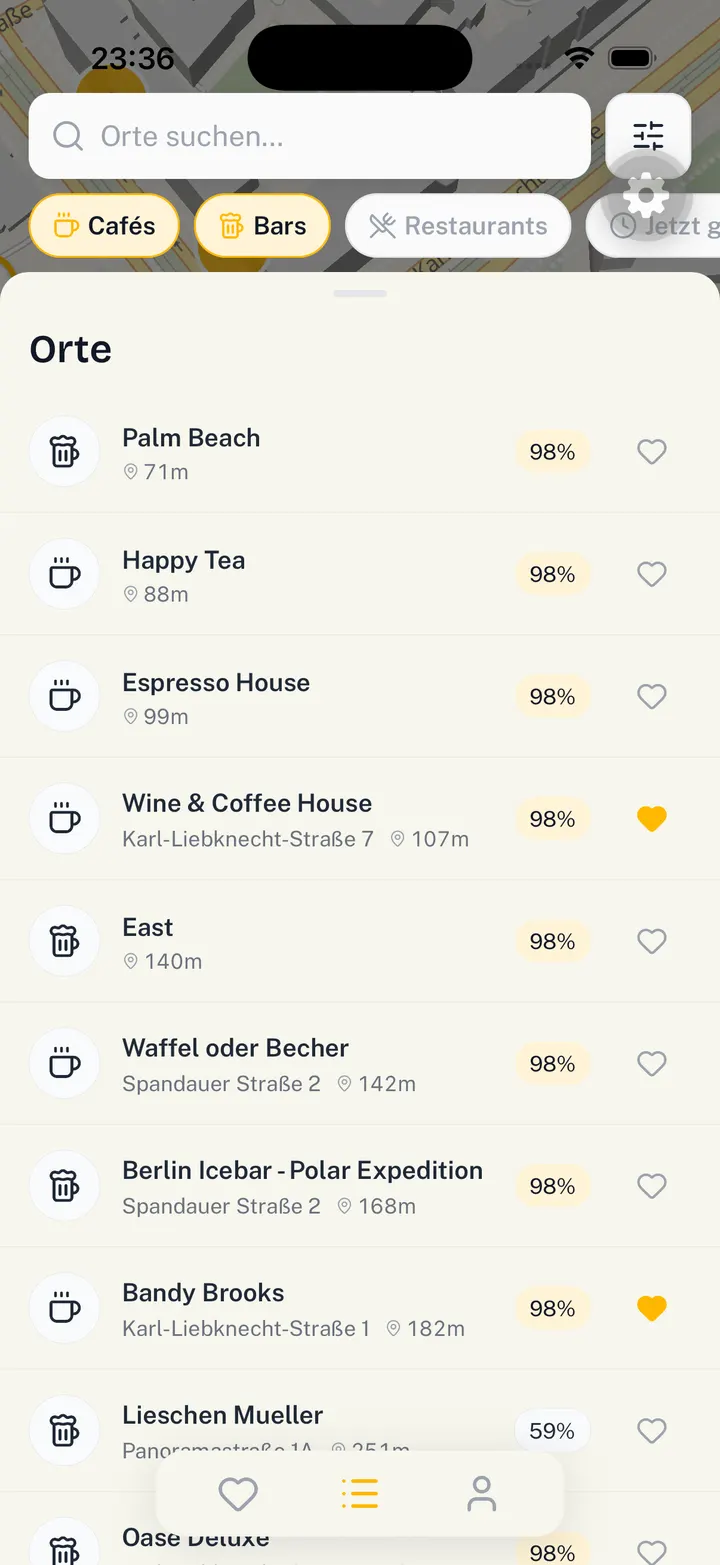
The map is the whole app. Warm greys, so the yellow means something: a filled pin is a place with sun on it right now, a hollow one is in shade. Filters sit at the top as chips — cafés, bars, restaurants, open now — and a sun timeline at the bottom lets you scrub through the day and watch the pins change.
4. Sun Hours
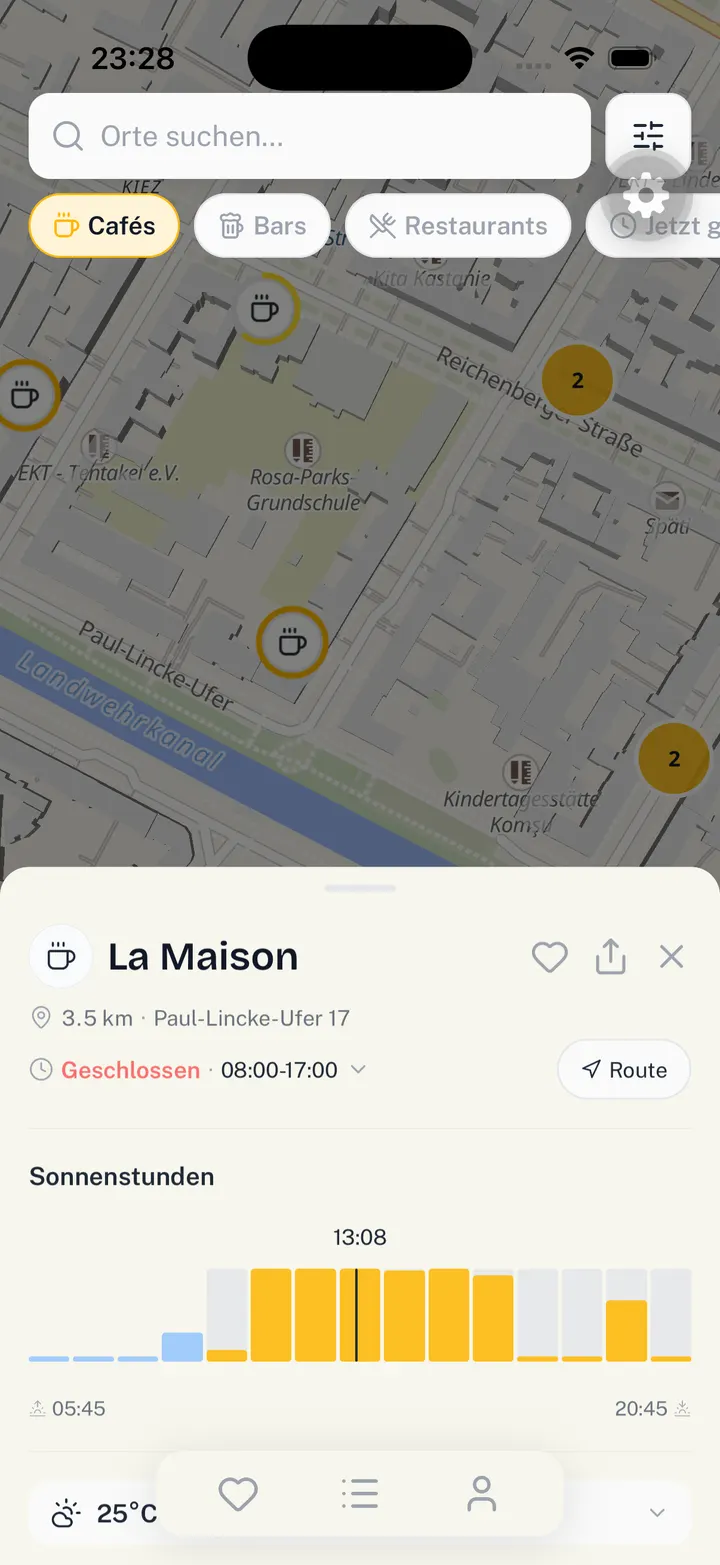
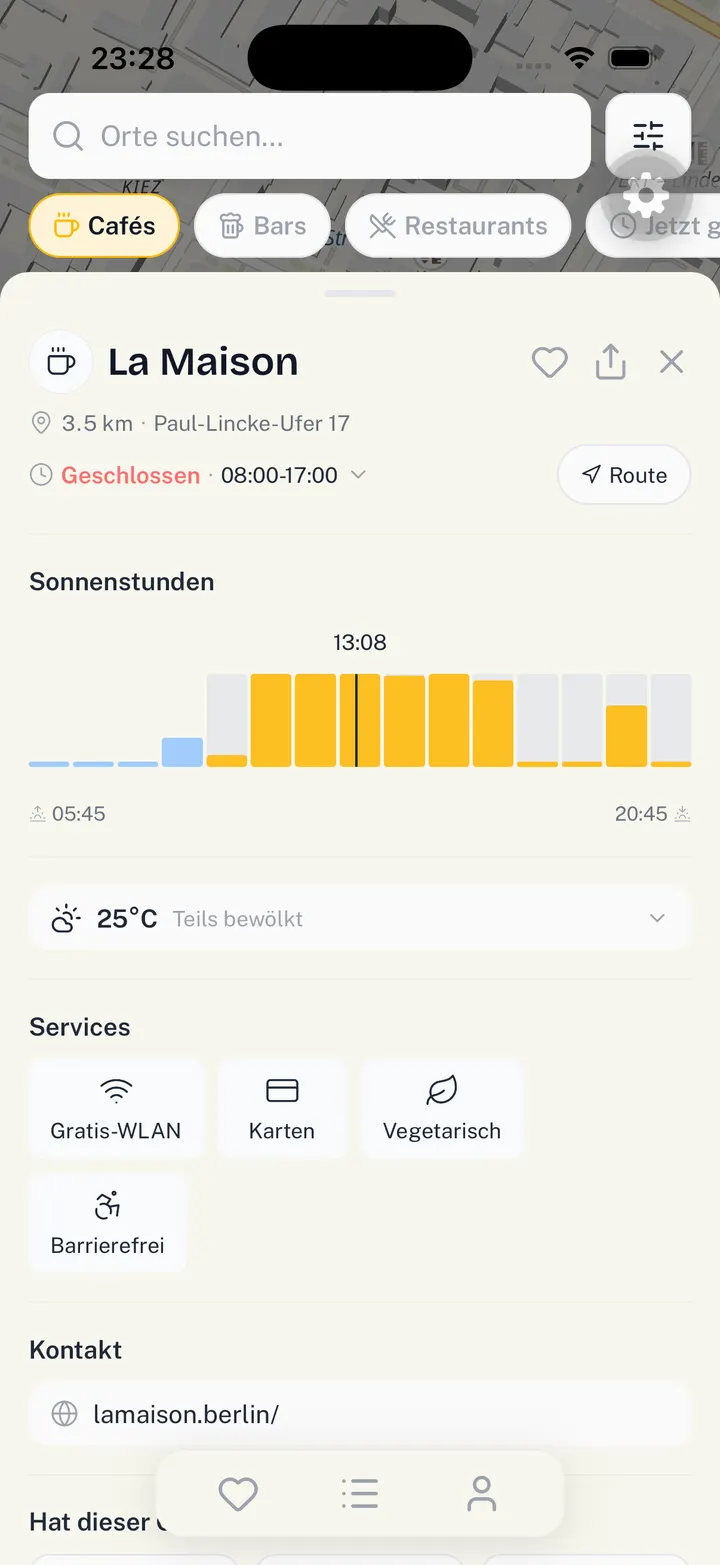
Tapping a place opens a sheet with the part we actually care about: Sonnenstunden. A bar per hour, yellow where the seat is in sun, grey where it isn't, with a marker on the current time. Everything else — address, opening hours, route, services — is the standard stuff a place sheet needs. The sun chart is the reason the app exists.
5. The Landing Page
An app nobody can find isn't shipped either, so the site came along with it. Same warm palette, same sun mark, one promise at the top and the store buttons right under it. The gradient runs from morning blue to late afternoon gold as you scroll — the same idea as the app, told in one page (see the scroll-through at the top of this page).
6. What I'm Learning
Mostly what we learned was how to work together — and with AI as a third collaborator on the team. Plus how many flavors of open source database exist, how long server-side calculations actually take once they matter, and how annoying the App Store can be. It turned out to be the opposite of what you'd expect: the real work wasn't in the big idea, it was in the unglamorous parts — what happens with no location permission, no sun data, no results at 11pm in November.
It's coming to the App Store soon. For now we're testing with friends, which is the most honest feedback loop we could have asked for: people who will tell you the terrace was in shade after all.